Read the carrier label attached to the fulfillment, determine the corresponding PayPal-supported carrier value for the relevant geography, and preserve both values. If the carrier is unsupported or ambiguous, route the order for review rather than silently guessing. PalSync’s current settings include courier mapping for this normalization step.
Normalize without losing the source
- 01
Capture the original label
Preserve the carrier name exactly as received from the commerce fulfillment.
- 02
Identify destination context
Use geography when the PayPal carrier catalog distinguishes regional values.
- 03
Select a supported value
Map to the appropriate current PayPal carrier value or route the record for review.
- 04
Submit with tracking
Send the normalized carrier with the matching transaction, tracking number, and shipment status.
- 05
Audit mapping changes
Record who changed the rule, why it changed, and which shipments it affected.
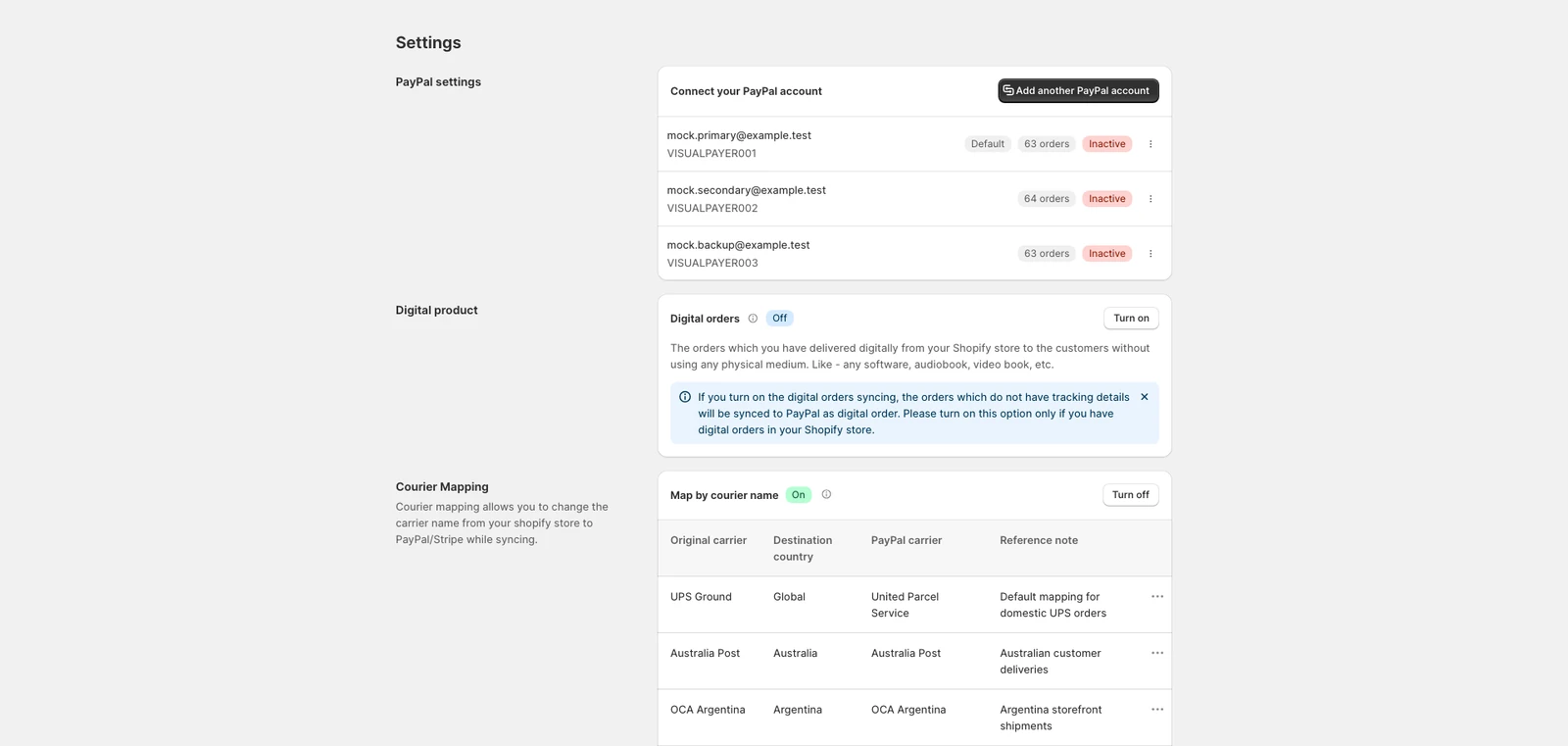
Auditable mapping fields
- Original carrier label
- Destination or operating geography
- Normalized PayPal carrier value
- Mapping rule and reference note
- Change history and affected sync attempts
Questions merchants ask next
Can PalSync guess an unknown carrier?
Unknown or ambiguous carriers should be reviewed. Silent guessing can attach incorrect shipment data to a transaction.
Do carrier values change?
Catalogs and regional mappings can change. The production workflow should version the source catalog and validate active mappings.
Is mapping included in the current product?
Yes. Current PalSync settings include courier mapping alongside PayPal account and synchronization controls.
Official sources
These sources support policy and technical statements.
Merchant-language research
These discussions identify questions and operational pain; they are not policy authority.